
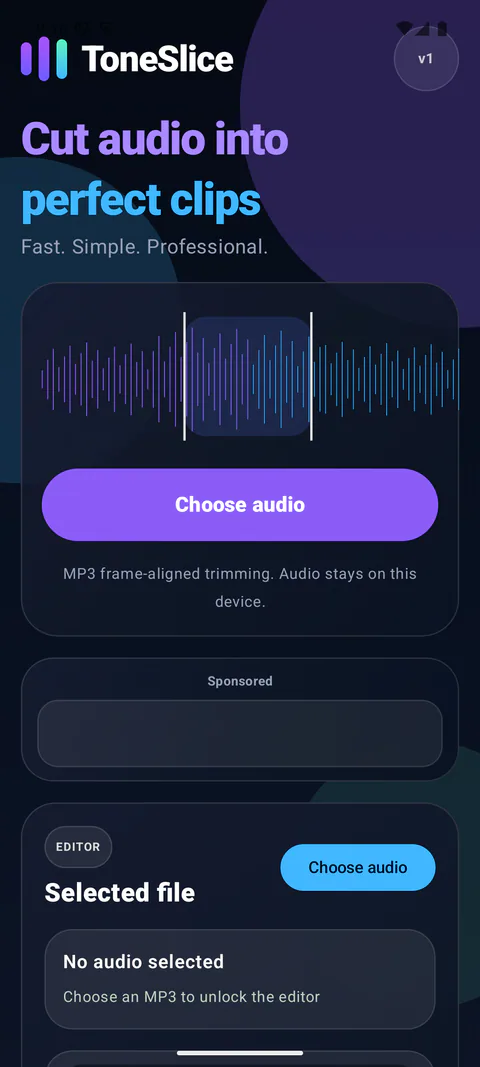
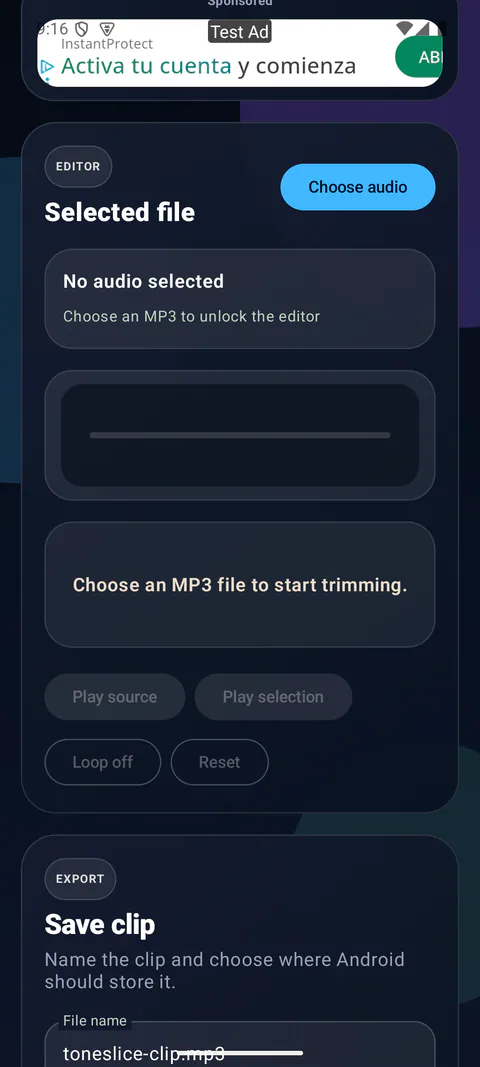
Select an MP3 from the device and mark the start and end of the useful section.
 AvailableAudio
ToneSlice
Cut the part you need. Keep the file yours.
A focused MP3 cutter for fast, frame-aligned edits with local files and clear export.
Product details
Built around one clear job.
Each product begins with a practical problem and removes everything that does not help solve it.
Lossless frame-aligned cutting avoids an unnecessary re-encode.
The exported file is saved locally and remains under your control.
The interface stays focused on MP3 cutting rather than pretending to be a full audio studio.
The actual product.
ToneSlice
Real screens from the current build or release materials.
Version history
What’s new
Meaningful changes, recorded clearly with the newest version first.
-
Version1.0.1
Safer editing, reliable exports and a quieter ad placement.
- The active file, cut range, output name and destination now survive screen rotation and Android activity recreation.
- Manual time entry is easier to edit, export can be cancelled, duplicate file names are handled safely and completed work has a clear Done action.
- The consent-aware banner is limited to the Home view and loads only after Google Mobile Ads has actually initialized. It never appears in the active editor or export flow.
- Improved MP3 handling for files with metadata, variable bitrates and short audio clips.
-
Version1.0.0
The first ToneSlice release.
- Choose a local MP3, preview the source or selected range and create a lossless frame-aligned clip.
- Save the result as a ringtone, notification, alarm or music file, then share, open or edit it again.
- Audio processing stays on the device and the free app uses one consent-aware banner.
Product details
Clear facts.
Platform, pricing and the details that matter before you download.
- Status
- Available
- Platform
- Android
- Price
- Free
- Account
- No account required
- Advertising
- One consent-aware banner
- Languages
- English
- Package name
- com.blacksunset.toneslice
- Version
- 1.0.1
Before you download
A few useful things to know.
How do I save a short part of an MP3?
Choose an MP3 from your device, mark the start and end of the section, preview it and export the result. ToneSlice saves the exported audio locally so you can open or share it through Android.
Does cutting re-encode the audio?
ToneSlice cuts at MP3 frame boundaries without re-encoding the audio. The cut is aligned to those frames; it is not sample-accurate or guaranteed to match an arbitrary millisecond.
Does ToneSlice support other audio formats?
This version is an MP3 cutter. It is not a multitrack editor or an all-format audio converter. No ToneSlice account is required.
Privacy
Privacy is product work.
Read what the app stores, which services it contacts and how local data can be removed.
Nulleuri / Apps
More from Nulleuri
 Available
Energy & utilities
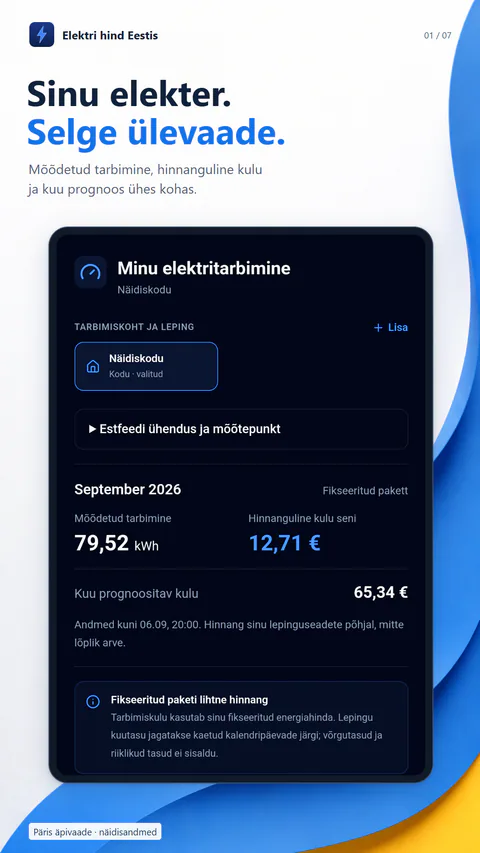
Elektri hind Eestis
Estonian market prices, contract-aware costs, optional Estfeed consumption and EV charging plans in one clear app.
Android and web · 2.2.0Free with one-time Premium
 Available
Calculator
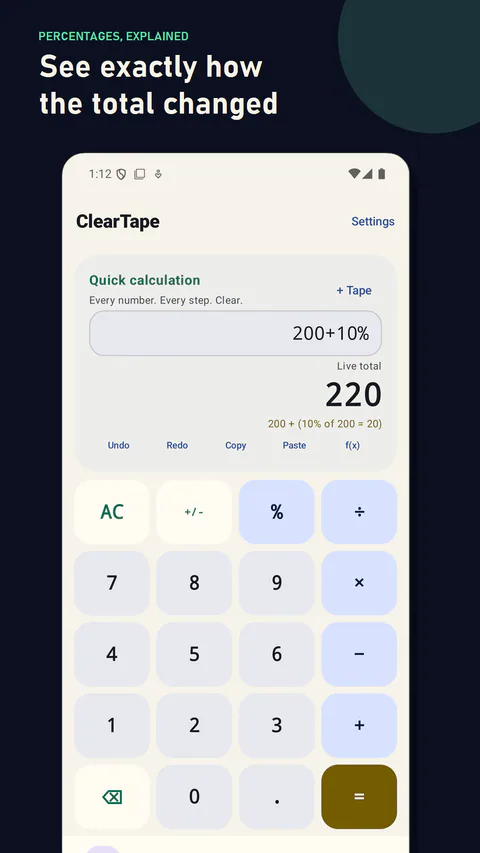
ClearTape
Editable calculation sheets, instant percentage math, searchable local history and a clear loan calculator without spreadsheet weight.
Android · 1.1.0Free with one-time Pro
 Available
Utility
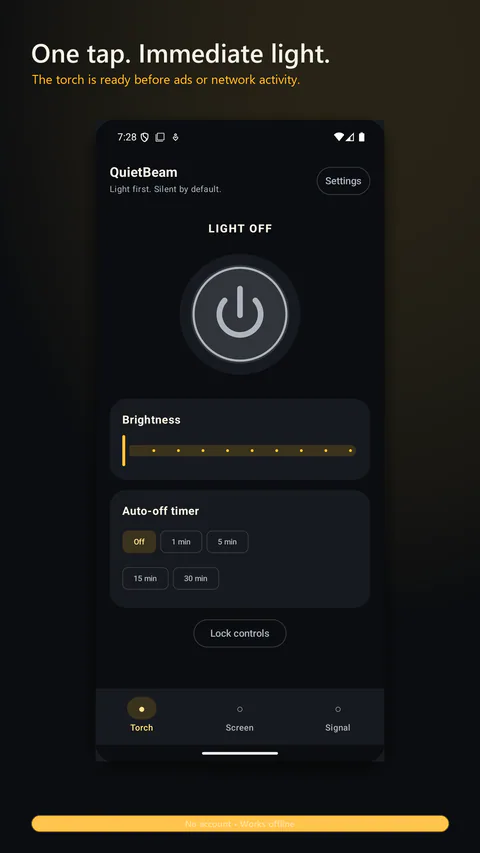
QuietBeam
A calm flashlight with one-handed brightness control, screen light, a Home screen widget and protected signalling.
Android · 1.1.0Free with one-time ad removal